
Happi
A digital platform designed to remove the hassle of scheduling, combat parental loneliness, and bring joy back to community building.
MOBILE APP • UX RESEARCH • COMMUNITY BUILDING • MOBILE APP • UX RESEARCH • COMMUNITY BUILDING •
MOBILE APP • UX RESEARCH • COMMUNITY BUILDING • MOBILE APP • UX RESEARCH • COMMUNITY BUILDING •
My Role
Lead Product Designer
(UX/UI)
Methods
User Surveys, Market Analysis, Wireframing, Rapid Prototyping
Tools
Figma
Happi is a digital product designed to remove the friction of organizing playdates while addressing a critical social issue: parental loneliness.
By combining a B2C tool for parents with a B2B distribution channel for local organizations
The Challenge:
Parents lack a reliable, centralized way to organize playdates, with 75% relying on fragmented social media or word-of-mouth. My challenge was to design a 0-to-1 mobile experience that reduced the cognitive load of scheduling while fostering a safe, trusted community.
Discovery & Research
I needed to understand the core friction points parents face before putting pixel to screen.
Quantitative & Qualitative Data: I conducted a survey with 28 parents across Sweden.
Key Insight: While the initial assumption was that scheduling was the main issue, the research revealed a deeper problem: parental loneliness and the difficulty of finding age-appropriate matches (37.5% of respondents).
Validation: 81% of respondents stated they would use a dedicated app regularly, giving me the green light to move into ideation.
Strategy & Scope Definition
The Strategic Pivot
Feature Prioritization
Wireframing & UX Architecture
My goal here was to minimize decision fatigue and build trust.
User Flows: I mapped out the core journey, from onboarding to discovering an event and RSVPing.
Tackling Friction: I designed an intuitive filtering system right on the home screen so parents could instantly sort by age, location, and cost, directly solving the pain points identified in research.
Visual Design & UI Execution
With the wireframes validated, I developed a visual identity (”Happi Design”) that felt safe, reliable, and delightful.
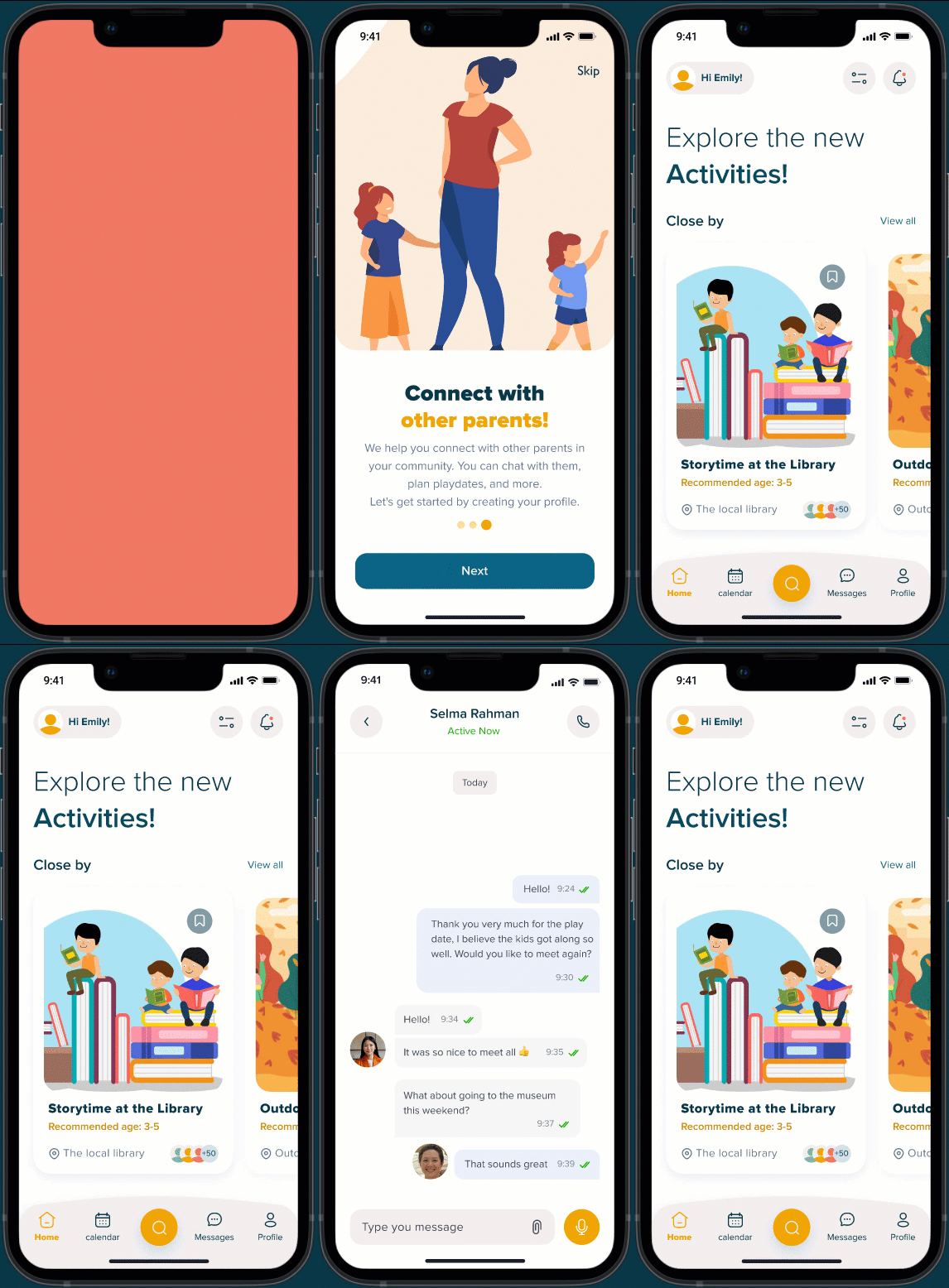
Visual Language: I chose a warm, family-friendly color palette with sweet, engaging illustrations to evoke a sense of playfulness and trust.
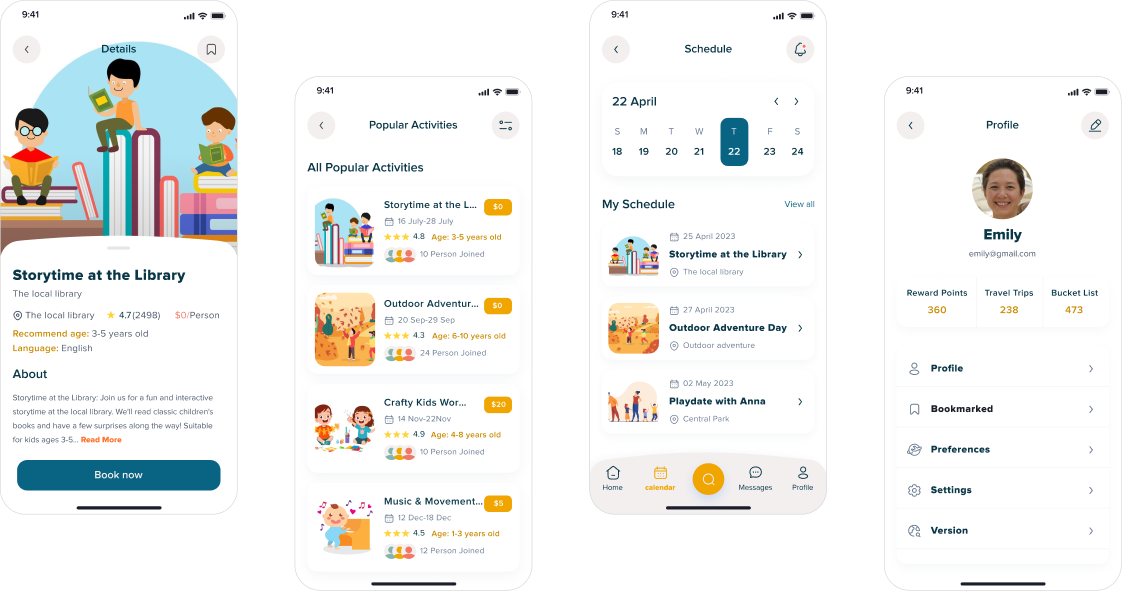
The Home Screen: I designed curated activity cards that highlight the most critical information at a glance (name, age range, photo). This visual hierarchy allows users to scan quickly without feeling overwhelmed.
The Detail Screen: Because child safety is paramount, I designed the detail view to act as a transparent profile. It clearly displays event logistics alongside feedback from other parents, utilizing social proof to build confidence.
Outcomes & Learnings
Design Impact: I successfully translated complex user needs and business goals into a high-fidelity, testable prototype.
Key Takeaway: This project reinforced the importance of looking beyond surface-level user requests. By uncovering the underlying issue of parental loneliness, I was able to design a product that solves a real human need, not just a logistical one.
From vision to Product Development
Click through to see how I led the end-to-end B2B product design for an AI-native communication tool